
Interactive Sky ●
Media Pipe in TouchDesigner
Interactive Sky ●
Media Pipe in TouchDesigner

DESIGN CHALLENGE
DESIGN CHALLENGE
DESIGN CHALLENGE
DESIGN CHALLENGE
The design challenge was to learn a new program and create a fun and interactive piece. This project is an introduction to TouchDesigner and focused on using Media Pipe as the means of driving the interactions.
The design challenge was to learn a new program and create a fun and interactive piece. This project is an introduction to TouchDesigner and focused on using Media Pipe as the means of driving the interactions.
The design challenge was to learn a new program and create a fun and interactive piece. This project is an introduction to TouchDesigner and focused on using Media Pipe as the means of driving the interactions.
New Project, New Program
New Project, New Program
New Project, New Program
Going into a project where the brief is just "learn a new program and have fun" leaves a lot of open doors to solutions. Having such an open playing field originally left me stumped as to what direction I should take.
It took a lot of practicing hand motions and staring at things to finally get an idea for the project.
An interactive sky, the turning motion controlling day and night and the pinching creating clouds.
Going into a project where the brief is just "learn a new program and have fun" leaves a lot of open doors to solutions. Having such an open playing field originally left me stumped as to what direction I should take.
It took a lot of practicing hand motions and staring at things to finally get an idea for the project.
An interactive sky, the turning motion controlling day and night and the pinching creating clouds.
Going into a project where the brief is just "learn a new program and have fun" leaves a lot of open doors to solutions. Having such an open playing field originally left me stumped as to what direction I should take.
It took a lot of practicing hand motions and staring at things to finally get an idea for the project.
An interactive sky, the turning motion controlling day and night and the pinching creating clouds.
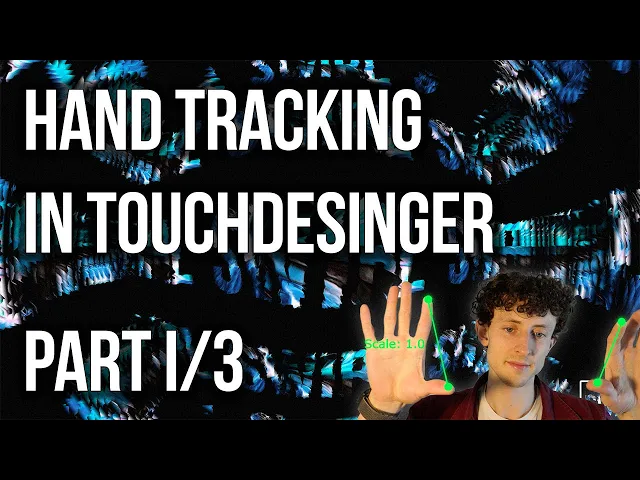
Torin Blakensmith and his tutorials were a great help for getting started. This hand tracking series was the main one I followed throughout the process.
The TouchDesigner Plug in for Media Pipe was co-created by him and Dom Scott and was amazing to use.
Torin Blakensmith and his tutorials were a great help for getting started. This hand tracking series was the main one I followed throughout the process.
The TouchDesigner Plug in for Media Pipe was co-created by him and Dom Scott and was amazing to use.
Torin Blakensmith and his tutorials were a great help for getting started. This hand tracking series was the main one I followed throughout the process.
The TouchDesigner Plug in for Media Pipe was co-created by him and Dom Scott and was amazing to use.
THE CONCEPT ●
A bright and colorful interactive sky
A bright and colorful interactive sky
A bright and colorful interactive sky
I was thinking about how beautiful sunsets and sunrises are and how cool it would be to control when they happened. I combined that with the idea of cloud patterns and thus the idea for an interactive sky was born. The world of the piece should feel like stepping into a dream, one where you can paint the world as you want.
I was thinking about how beautiful sunsets and sunrises are and how cool it would be to control when they happened. I combined that with the idea of cloud patterns and thus the idea for an interactive sky was born. The world of the piece should feel like stepping into a dream, one where you can paint the world as you want.
UH OH! Roadblock
UH OH! Roadblock
In the planning of the project I started researching how to build each element for my idea. The first half of the project would be easy to build, it was the second half that would give me major trouble.
Going into the project I had already experimented with procedural materials and assumed that TouchDesigner would have some way to do procedural 3D. As it would turn out the initial ways I was thinking of (A 3D material, a noisy particle simulation, point clouds) would either be too large to run and risk not turning out, or could not be done.
So I pivoted, with direction from my teacher I started looking at GLSL shaders. They would be able to do what I wanted. Yet that pivot would lead to a new world of challenges.
In the planning of the project I started researching how to build each element for my idea. The first half of the project would be easy to build, it was the second half that would give me major trouble.
Going into the project I had already experimented with procedural materials and assumed that TouchDesigner would have some way to do procedural 3D. As it would turn out the initial ways I was thinking of (A 3D material, a noisy particle simulation, point clouds) would either be too large to run and risk not turning out, or could not be done.
So I pivoted, with direction from my teacher I started looking at GLSL shaders. They would be able to do what I wanted. Yet that pivot would lead to a new world of challenges.
In the planning of the project I started researching how to build each element for my idea. The first half of the project would be easy to build, it was the second half that would give me major trouble.
Going into the project I had already experimented with procedural materials and assumed that TouchDesigner would have some way to do procedural 3D. As it would turn out the initial ways I was thinking of (A 3D material, a noisy particle simulation, point clouds) would either be too large to run and risk not turning out, or could not be done.
So I pivoted, with direction from my teacher I started looking at GLSL shaders. They would be able to do what I wanted. Yet that pivot would lead to a new world of challenges.
I don't know the shader math!
I don't know the shader math!
I don't know the shader math!

A GLSL Shader is a bunch of math and technical magic that I could not hope to learn in the timeline for the project. What I would end up doing is taking a base code and turning to Gemini AI to alter it to suit my needs.
A GLSL Shader is a bunch of math and technical magic that I could not hope to learn in the timeline for the project. What I would end up doing is taking a base code and turning to Gemini AI to alter it to suit my needs.
A GLSL Shader is a bunch of math and technical magic that I could not hope to learn in the timeline for the project. What I would end up doing is taking a base code and turning to Gemini AI to alter it to suit my needs.
Hello Gemini
How I used Ai to help on this project
How I used Ai to help on this project
In the early phase of the project (before the clouds), I used Gemini to figure out the coding for a super secret and exciting later part of the project. Once I entered the cloud dilemma I asked Gemini to take the code I gave it and for it to adapt it for use in TouchDesigner and then for it to: change the base geometry from a sphere to a plane, add controllable parameters for density and scale, and if it could make the clouds disperse as it scaled down.
The issues- XT95 did not build their code to disperse and scale like natural clouds, Gemini had a lot of trouble keeping a cloud-like appearance with all of the changes I asked it. In the end I had to scale down what I originally had in mind to work with both the time constraints and my limited knowledge of shaders.
In the early phase of the project (before the clouds), I used Gemini to figure out the coding for a super secret and exciting later part of the project. Once I entered the cloud dilemma I asked Gemini to take the code I gave it and for it to adapt it for use in TouchDesigner and then for it to: change the base geometry from a sphere to a plane, add controllable parameters for density and scale, and if it could make the clouds disperse as it scaled down.
The issues- XT95 did not build their code to disperse and scale like natural clouds, Gemini had a lot of trouble keeping a cloud-like appearance with all of the changes I asked it. In the end I had to scale down what I originally had in mind to work with both the time constraints and my limited knowledge of shaders.
The Super Secret and Exciting Part of the Project TM
The Super Secret and Exciting Part of the Project TM
What lives in the sky… birds. And what is it called when you make a certain rude gesture… Flipping the bird!
I wanted this project to be both interactive AND fun, and what's more fun then having an excuse to flip off the camera. With a bit of further thinking I decided to use a crow thanks to their connection to ideocracy. Because it is a silly idea above all else.
What lives in the sky… birds. And what is it called when you make a certain rude gesture… Flipping the bird!
I wanted this project to be both interactive AND fun, and what's more fun then having an excuse to flip off the camera. With a bit of further thinking I decided to use a crow thanks to their connection to ideocracy. Because it is a silly idea above all else.

The Set Up

Sadly the middle finger is not a universally recognized gesture, so I had to create my own way of triggering the bird. I used the distance of each finger to create a logic chain that read fingers up as ones and fingers down as zeros. And only when we got that perfect chain of only the middle finger being a one, would the animation trigger.
I used a stand in of a crow flying gif for my visual and worked away at making sure the flipping off worked.
Sadly the middle finger is not a universally recognized gesture, so I had to create my own way of triggering the bird. I used the distance of each finger to create a logic chain that read fingers up as ones and fingers down as zeros. And only when we got that perfect chain of only the middle finger being a one, would the animation trigger.
I used a stand in of a crow flying gif for my visual and worked away at making sure the flipping off worked.
My Magnum Opus ●
Getting the flipping off to work
My Magnum Opus ●
Getting the flipping off to work
Surprisingly , the flipping off wasn't the hardest part. Getting the audio to sync with the video and NOT retrigger every time the camera got flipped off involved some heavy messing around. Eventually I got it to work by using a timer and only having it reset when the timer (length of audio) finished.
Surprisingly , the flipping off wasn't the hardest part. Getting the audio to sync with the video and NOT retrigger every time the camera got flipped off involved some heavy messing around. Eventually I got it to work by using a timer and only having it reset when the timer (length of audio) finished.
The Sky
The Sky
Compared to the clouds and the birds the sky was the easiest part to get working. All I had to do was have our hand motion trigger the sky to rotate 180 degrees. The hardest part for this was getting the sun and moon to line up and getting the stars to stay in the night sky.
For the stars I used this tutorial by Reflekkt as a baseline (here) and altered it to suit my needs.
Compared to the clouds and the birds the sky was the easiest part to get working. All I had to do was have our hand motion trigger the sky to rotate 180 degrees. The hardest part for this was getting the sun and moon to line up and getting the stars to stay in the night sky.
For the stars I used this tutorial by Reflekkt as a baseline (here) and altered it to suit my needs.
Compared to the clouds and the birds the sky was the easiest part to get working. All I had to do was have our hand motion trigger the sky to rotate 180 degrees. The hardest part for this was getting the sun and moon to line up and getting the stars to stay in the night sky.
For the stars I used this tutorial by Reflekkt as a baseline (here) and altered it to suit my needs.
ASSETS


I created the Sun, Moon, and Crow in Adobe Illustrator, focusing on a whimsical yet realistic rendering style. I then imported the crow into Adobe After Effects to Animate the flying.
I created the Sun, Moon, and Crow in Adobe Illustrator, focusing on a whimsical yet realistic rendering style. I then imported the crow into Adobe After Effects to Animate the flying.
THOSE WHO NODE
My TouchDesigner workspace, what looks like a mess of nodes calling to random locations yet each location has its purpose. Every key factor was placed into an annotation note box and highlighted.
THOSE WHO NODE
My TouchDesigner workspace, what looks like a mess of nodes calling to random locations yet each location has its purpose. Every key factor was placed into an annotation note box and highlighted.
THOSE WHO NODE
My TouchDesigner workspace, what looks like a mess of nodes calling to random locations yet each location has its purpose. Every key factor was placed into an annotation note box and highlighted.

Since most of the clouds were built in a shader they ended up relatively simple inside TouchDesigner.
Since most of the clouds were built in a shader they ended up relatively simple inside TouchDesigner.

The stars are at the bottom, their playback is bypassed to save on rendering time.
The stars are at the bottom, their playback is bypassed to save on rendering time.

All Together
All Together
All Together
Compared to the clouds and the birds the sky was the easiest part to get working. All I had to do was have our hand motion trigger the sky to rotate 180 degrees. The hardest part for this was getting the sun and moon to line up and getting the stars to stay in the night sky.
For the stars I used this tutorial by Reflekkt as a baseline (here) and altered it to suit my needs.
Compared to the clouds and the birds the sky was the easiest part to get working. All I had to do was have our hand motion trigger the sky to rotate 180 degrees. The hardest part for this was getting the sun and moon to line up and getting the stars to stay in the night sky.
For the stars I used this tutorial by Reflekkt as a baseline (here) and altered it to suit my needs.
I had my friend test it along the way to make sure everything made sense. She also wanted to leave a testimonial.
I had my friend test it along the way to make sure everything made sense. She also wanted to leave a testimonial.
A riveting experience, truley a tactile activity that could entertain for hours. Slay mama the house down boots" - Renee Anderson
A riveting experience, truley a tactile activity that could entertain for hours. Slay mama the house down boots" - Renee Anderson